Cables and connectors: How to choose the ideal model for each device.
To elect the cables and connectors Properly designed components for each electronic device ensure maximum performance, as well as preventing irreversible system damage and power transmission failures.
Advertisements
The rapid evolution of technological standards demands heightened consumer awareness when making purchases.
The right choice optimizes data transfers and ensures fast and secure loading.
In this comprehensive guide, you will understand the different types of connections, updated technical specifications, and essential practices to avoid mistakes when choosing your everyday tech accessories.
Summary
- What are the main types of cables and connectors on the market?
- How did USB-C technology become the definitive universal standard?
- Which HDMI cable should I choose for high-resolution monitors and TVs?
- Comparative table: Transmission technical specifications
- How to check the compatibility and quality of the wiring?
- What precautions will extend the lifespan of your equipment?
- Conclusion
- Frequently Asked Questions (FAQ)
What are the main types of cables and connectors on the market?
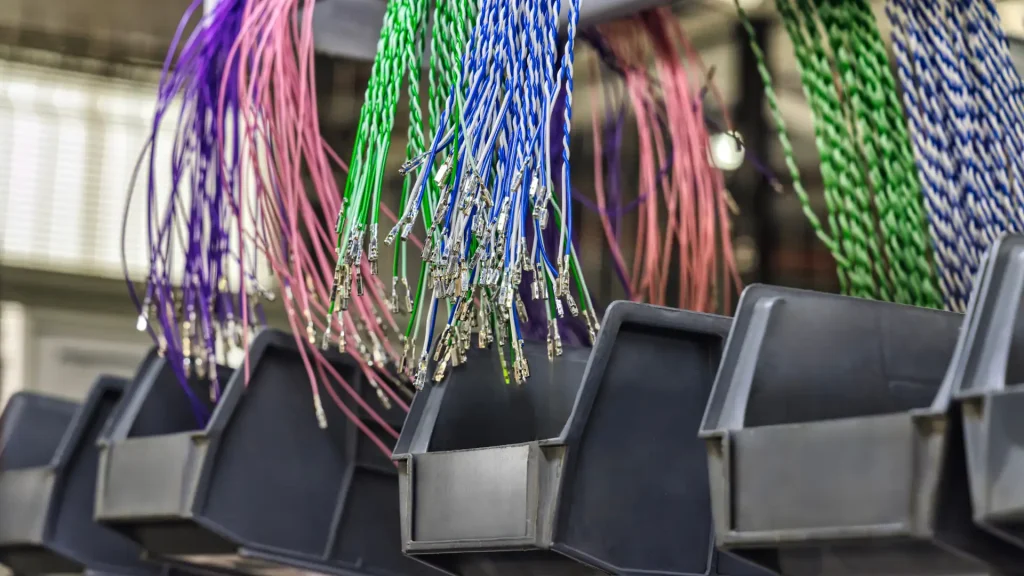
The mess found in drawers overflowing with tangled wires reveals the chaos of the electronics market.
Ultimately, it all comes down to sending energy or transporting bits of image and audio.
Among data-focused connectors, the Type-A format bravely resists due to market inertia, while the old micro-USB has finally become a relic. But Type-C is the one that truly dictates the direction.
In terms of sound and image, the battle between HDMI and DisplayPort remains technical and fierce.
The Lightning connector has become a thing of the past, succumbing to pressure for more efficient and open standards.
Guarantee the cables and connectors Certain options avoid the discomfort of seeing a top-of-the-line device stuck with slow transfer rates.
Silent incompatibility is the worst technological bottleneck.
There's a common pitfall here: judging a cable solely by the shape of its connector. An identical plug on the outside can hide internal chips and buses with completely different capabilities.
How did USB-C technology become the definitive universal standard?
The European Union picked a huge fight by imposing USB Type-C as the mandatory port for laptops.
The decision curbed tons of electronic waste and simplified our daily routine.
This symmetrical design hides impressive engineering beneath the metal.
The architecture supports very high currents, allowing USB Power Delivery technology to effortlessly charge even robust laptops.
There's something liberating about using the same port for power, uncompressed sound, and ultra-high-definition video.
The Thunderbolt protocol takes advantage of this physics to fly low at speed.
This global standardization has finally eliminated the need to carry bags full of adapters around. A single, good-quality cable now solves all your needs, from smartphone to computer.
Which HDMI cable should I choose for high-resolution monitors and TVs?
The manufacturers' race to produce 144Hz screens or 8K panels has created a brutal demand for bandwidth. Choosing the wrong cable here simply renders the panel's refresh rate unusable.
The HDMI 2.0 version still holds up well for 4K transmissions at 60 Hertz.
However, recent consoles and video cards undeniably require the upgrade to version 2.1.
Its 48 Gigabits per second deliver true dynamic HDR without image stuttering.
eARC technology comes into play to deliver immersive, cinematic sound directly to the soundbar.
To check certifications and avoid piracy in the national market, it's worth following the portal of... National Telecommunications Agency (Anatel).
As it passes cables and connectors For conduits behind the wall, opt for models with triple shielding mesh. This will shield your signal against scratches and electromagnetic interference from the electrical network.
The impact of standardization and the challenge of generic accessories.
The current scenario reveals an interesting contradiction in consumer behavior: while we celebrate the end of the era of proprietary chargers, we face the challenge of the generic accessories market, which often camouflages speed limitations under a modern casing.
This false sense of universal unification leads many users to discover, the hard way, that the convenience of a single plug still requires careful reading of the technical specifications printed between the lines of the packaging.
++ eSIM: How the technology is replacing physical chips in smartphones.
Comparative table: Transmission technical specifications
Understanding the physical limitations of each technology helps avoid unnecessary spending on oversized accessories for simple everyday tasks.
| Connection Standard | Maximum Data Rate | Recommended Primary Use | Energy Capacity |
| USB 2.0 (Micro/Type-A) | 480 Mbps | Basic peripherals and simple audio. | Up to 2.5W (5V / 0.5A) |
| USB 3.2 Gen 2 | 10 Gbps | External SSDs and modern smartphones | Up to 100W (with Power Delivery) |
| USB4 / Thunderbolt 4 | 40 Gbps | 4K monitors, docks, and eGPU cards. | Up to 240W (Extended Power Range) |
| HDMI 2.1 | 48 Gbps | 8K TVs, 4K 120Hz screens and consoles | Exclusive AV transmission |
| DisplayPort 2.1 | 80 Gbps | Gaming monitors and professional workstations | AV transmission and auxiliary data |
How to check the compatibility and quality of the wiring?
Analyzing the tactile construction of the accessory quickly reveals the true durability of the product.
Braided nylon coverings absorb torsion without breaking the internal veins of pure copper.
The gold-plated finish on the connectors prevents oxidation caused by air and moisture.
This preserves conductivity and prevents mysterious contact failures over time.
Very thin gauges often hide poor internal dimensions that overheat under heavy load.
This heating generates resistance, reducing the charging speed of your device.
Therefore, acquire cables and connectors It requires meticulous attention to what is written on the box.
Avoid generic packaging that hides the maximum voltage and the name of the manufacturer.
The fit needs to be precise, felt with a clean click when connecting.
If there is excessive play or brute force is required, discard the accessory immediately.
++ Wi-Fi 7: Is it worth changing your router?
What precautions will extend the lifespan of your equipment?
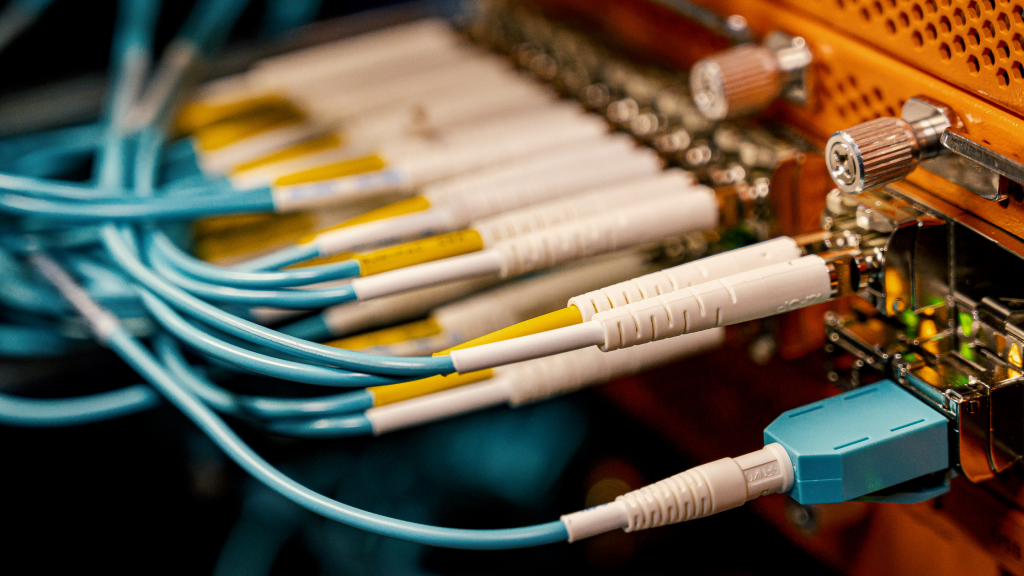
The habit of tightly wrapping wires around your hand is the quickest way to destroy them.
This mechanical stress breaks down the internal structure well before external wear appears.
Always pull the accessory by the rigid connector cover to prevent solder pinching.
This simple change in habit doubles the durability of any accessory in everyday life.
Accumulated dirt inside appliance doors causes unpredictable short circuits and slowdowns.
Clean these niches periodically using compressed air and small, dry, lint-free rods.
Organize your cables and connectors Loose Velcro fasteners prevent the formation of knots.
This proper arrangement prevents permanent creases in the rubber and preserves the integrity of the wiring.
Flexible protectors at the plug's junction point absorb the impact of constant bending.
Small precautions help protect your investments and reduce the premature disposal of electronics.
++ Meta AI app: what changed after the upgrade with Muse Spark in 2026
Conclusion
Mastering the specifications of the connectivity ecosystem has gone from being a technical luxury to a practical necessity.
A conscious choice unlocks the true performance your equipment promises to deliver.
The trend toward standardizing connectors has made life easier, but it has shifted the responsibility to choosing certifications.
Always choose the safety of solid constructions over the shortcuts of dubious products.
To explore more about the evolution of open architectures and network standards around the world, it's worth checking out the collections of... World Wide Web Consortium (W3C).
Frequently Asked Questions (FAQ)
Does every USB-C cable transmit an image to external monitors?
Not every model has this physical capability.
Video transmission depends on explicit support for the DisplayPort Alt Mode or Thunderbolt protocol in both the cable and the transmitting device.
What is the practical difference between HDMI and DisplayPort?
HDMI reigns supreme in TVs, soundbars, and consoles due to its versatility in home use.
DisplayPort dominates the PC ecosystem by delivering extremely high refresh rates and adaptive synchronization without compression.
Can using low-quality parallel cables damage the battery?
Absolutely. Wires without proper certification and lacking charge negotiating chips cause voltage spikes, overheating the battery cell and accelerating its chemical degradation.
What does USB Power Delivery (PD) technology mean?
It's a smart protocol that communicates with the device to deliver the exact voltage needed.
It allows you to power everything from delicate headphones to corporate laptops using the same port.